
🦎 Lizard: A Procedural Animation on the GitHub Contribution Graph

Created: Aug 21, 2025
Last modified: Oct 10, 2026
That's my real GitHub contribution graph up there. Every day, a GitHub Action drops a lizard on it, and the lizard walks around eating the bugs that appear on every square with contributions.
The fun part: nobody animated it by hand. There are no keyframes, no walk cycle, nothing drawn frame by frame. The spine, the body and the legs move on their own, following a handful of simple geometric rules. That's called procedural animation, and in this post I'll take it apart piece by piece.
I didn't come up with the idea out of nowhere. These projects inspired it:
Platane/snk 🐍, the famous snake that eats GitHub contribution graphs.
argonautcode/animal-proc-anim 🦎🐍🐟, procedurally animated animals, explained in this video.
zappo2/digital-art-with-matlab 🦎, especially its Lizard Follows Mouse, written in MATLAB.
# The big picture
Before diving in, here's the whole journey in four steps:
Fetch: ask the GitHub GraphQL API for the user's contribution calendar. Each day comes with its date, its weekday,
how many contributions it has, and its contributionLevel, the quartile GitHub uses to pick the square's color.
Map: place each day on a grid of $24 \times 24$ px cells with 8 px gaps. The week is the column and the weekday is the row, just like on GitHub.
Simulate: run a game loop where the lizard walks from one day with contributions to the next, and record where every part of its body is on each frame.
Render: turn all those recorded frames into SVG <animate> tags, so the browser plays the animation by itself.
# The chain: one idea to rule them all
Everything that moves in this project, the spine and every leg, is built from the same simple structure: a chain. Picture a row of joints $j_0, j_1, \dots, j_n$ tied together by sticks of fixed length $l_0, l_1, \dots, l_{n-1}$:
┌───l₀───┬───l₁───┬───l₂───┬───l₃───┬──lₙ₋₁──┐
×────────×────────×────────×────────×───//───×
j₀       j₁       j₂       j₃       j₄  //   jₙ
We only ever move the first joint, $j_0$, the head. All the others just follow the one in front of them, keeping their distance, a bit like kids playing follow the leader. It's the simplest form of procedural animation, and it goes like this.
1. The head goes straight to its new position $p$:
2. For each following joint $j_i$, we look at the direction it would take to reach the joint in front of it:
3. And we place it exactly one stick length $l_{i-1}$ behind, along that direction:
Notice that the joint never teleports: it only slides as much as it needs to keep the stick at its length.
Geometrically, we're pulling the joint onto a circle of radius $l_{i-1}$ around $j_{i-1}$.
Keep this little function in mind, constrain_distance, because the legs will reuse it later:
Each joint is visited once, from head to tail, so solving the whole chain costs O(n) per frame. Here's the code:
def resolve(self, pos: Vector) -> None:
    self.angles[0] = (pos - self.joints[0]).heading()
    self.joints[0] = pos
    for i in range(1, len(self.joints)):
        current_angle = (self.joints[i - 1] - self.joints[i]).heading()
        if i > 1 and self._angle_constraint > 0:
            self.angles[i] = constrain_angle(
                current_angle, self.angles[i - 1], self._angle_constraint
            )
        else:
            self.angles[i] = current_angle
        self.joints[i] = self.joints[i - 1] - \
                         Vector.from_angle(self.angles[i]).set_mag(
                             self._link_size[i - 1])
# Angle limits: a spine, not a rope
With only the distance rule, the chain behaves like a rope: if the head turns sharply, the chain folds right over itself. A real spine can't do that, since each vertebra only bends a few degrees relative to the one before it. So we add a second rule: each joint's angle can deviate at most $\varphi$ from the previous joint's angle. For the lizard, $\varphi = \pi / 8$, which is 22.5° per joint.
Sounds easy, but comparing angles has a catch: $350°$ and $10°$ look far apart, yet they're only 20° away from each other. To keep things tidy, every angle is first wrapped into the range $[0, 2\pi)$:
Now, the trick for a clean signed difference between the current angle $\theta_i$ and the previous one $\theta_{i-1}$: rotate both so that $\theta_{i-1}$ sits at $\pi$, right in the middle of the range. That way the difference never has to jump across $0 \equiv 2\pi$:
With the difference in hand, clamping is straightforward: if it's within the limit, leave the angle alone; otherwise, stop it right at the edge:
In code:
def simplify_angle(angle: float) -> float:
    while angle >= math.tau:
        angle -= math.tau
    while angle < 0:
        angle += math.tau
    return angle


def relative_angle_diff(angle: float, anchor: float) -> float:
    angle = simplify_angle(angle + math.pi - anchor)
    anchor = math.pi
    return anchor - angle


def constrain_angle(angle: float, anchor: float, constraint: float) -> float:
    diff = relative_angle_diff(angle, anchor)
    if abs(diff) <= constraint:
        return simplify_angle(angle)
    if diff > constraint:
        return simplify_angle(anchor - constraint)
    return simplify_angle(anchor + constraint)
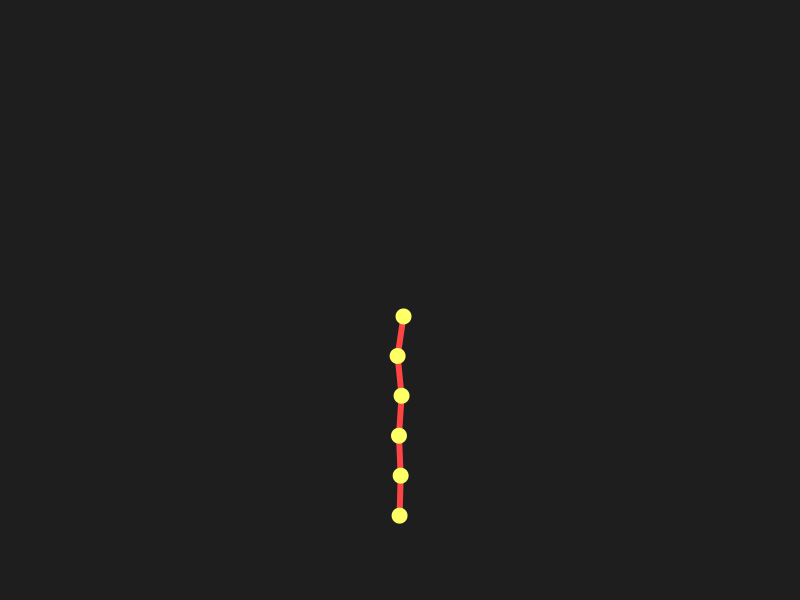
Here's a chain of 6 joints, with 40 px sticks and $\varphi = \pi / 4$, chasing random points. Look at how it always draws smooth curves, no matter how sharp the turn:
# From a spine to a body
The lizard's spine is a chain of 18 joints with $\varphi = \pi/8$. The sticks are longer around the torso and shorter along the tail. On top of that, each joint gets its own body width $w_i$: a small head, a wide torso where the legs attach, and a tail that keeps getting thinner until it ends in a point.
Both lists are multiplied by a scale $s$, which on the contribution graph is $s = 0.25$:
To give the body some volume, each stick between $j_i$ and $j_{i+1}$ becomes a four-sided shape. First, we need the direction perpendicular to the stick, which we get by rotating it 90°:
Then we push each end of the stick out to both sides by half its body width, and those are our four corners:
for i in range(len(self.spine.joints) - 1):
    j1, j2 = self.spine.joints[i], self.spine.joints[i + 1]
    r1, r2 = self.body_width[i] / 2, self.body_width[i + 1] / 2
    dx, dy = j2.x - j1.x, j2.y - j1.y
    l = math.hypot(dx, dy)
    if l == 0:
        continue
    nx, ny = -dy / l, dx / l
    body_path.append([(j1.x + nx * r1, j1.y + ny * r1),
                      (j1.x - nx * r1, j1.y - ny * r1),
                      (j2.x - nx * r2, j2.y - ny * r2),
                      (j2.x + nx * r2, j2.y + ny * r2)])
Neighboring shapes share an edge, so together they form one continuous silhouette. On the outside of curves, though, tiny gaps can appear; to hide them, every shape is drawn with an outline of the same color and rounded corners. And the head? It's just a line of length zero, with a round cap as thick as $w_0$, which the browser draws as a circle. Cheap trick, nice result.
# The legs: where do I step?
This is my favorite part. Each leg is a chain of 3 joints, foot, knee and hip, with sticks of $52s$. The front legs hang from joint 3 of the spine, and the back legs from joint 6.
To place things around the body, there's a little helper. Give it a spine joint $i$, an angle $\alpha$ measured from the spine's direction, and an extra distance $d$, and it returns a point next to the body:
Remember that $\theta_i$ points forward, toward the head. With $\sigma = \pm 1$ meaning left or right side, every leg has two key points:
The hip (anchor), stuck to the side of the body, slightly inside the silhouette: $A = P\left(i, \sigma \frac{\pi}{2}, -35s\right)$.
Where the foot would like to be, ahead of and away from the body, at 45° for the front legs and 60° for the back ones: $D = P\left(i, \sigma \alpha, 80s\right)$, with $\alpha = \frac{\pi}{4}$ or $\alpha = \frac{\pi}{3}$.
And here's the trick that turns this into walking: the foot does not follow $D$ all the time. Think about how you walk: your foot stays planted while your body moves forward, and only when your leg is stretched too far do you take a step. The lizard does the same. Each leg remembers where it last stepped, $F$, and only moves it when the ideal spot gets too far away:
Since $D$ sits ahead of the body, each new step lands in front of the lizard, and the foot waits there until the body has passed over it. And because the front and back legs hang from different joints, they hit the limit at different moments. The result is an alternating gait, and nobody had to program a walk cycle!
for i in range(len(self.arms)):
    side = 1 if i % 2 == 0 else -1
    body_index = 3 if i < 2 else 6
    angle = math.pi / 4 if i < 2 else math.pi / 3
    desired_pos = Vector(
        self.get_pos_x(body_index, angle * side, 80 * self.scale),
        self.get_pos_y(body_index, angle * side, 80 * self.scale)
    )
    if desired_pos.dist(self.arm_desired[i]) > 200 * self.scale:
        self.arm_desired[i] = desired_pos
    x = self.get_pos_x(body_index, math.pi / 2 * side, -35 * self.scale)
    y = self.get_pos_y(body_index, math.pi / 2 * side, -35 * self.scale)
    anchor = Vector(x, y)
    interp = Vector.lerp(self.arms[i].joints[0], self.arm_desired[i], 1)
    self.arms[i].fabrik_resolve(interp, anchor)
# Inverse kinematics with FABRIK
So we know where the foot $F$ and the hip $A$ go. But where's the knee? That's an inverse kinematics problem: you know where the end of a limb must be, and you need to figure out the joints in between.
With only two sticks you could solve it with trigonometry, but there's a more elegant and general method:
FABRIK (Forward And Backward Reaching Inverse Kinematics).
And the best part is that it reuses our old friend constrain_distance, in two passes:
Forward pass: drag the foot to the target and let the rest of the leg follow it, exactly like the spine follows the head. Now the foot is in the right place... but the hip has been pulled away from the body.
Backward pass: put the hip back on its anchor and let the rest of the leg follow it, in the opposite direction. Now the hip is in place, and the foot ends up very close to the target.
Normally you'd repeat both passes until the foot is close enough to the target. Here, a single round per frame is enough: targets only move a few pixels between frames, so the previous frame's answer is already a great starting point, and any error gets fixed over the next frames. Bonus: the knee keeps bending to the same side it did before, so the legs never suddenly flip.
def fabrik_resolve(self, pos: Vector, anchor: Vector) -> None:
    # forward: the foot goes to the target, the rest of the leg follows it
    self.joints[0] = pos
    for i in range(1, len(self.joints)):
        self.joints[i] = constrain_distance(
            self.joints[i], self.joints[i - 1], self._link_size[i - 1])

    # backward: the hip goes back to the body, the rest of the leg follows it
    self.joints[-1] = anchor
    for i in range(len(self.joints) - 2, -1, -1):
        self.joints[i] = constrain_distance(
            self.joints[i], self.joints[i + 1], self._link_size[i - 1])
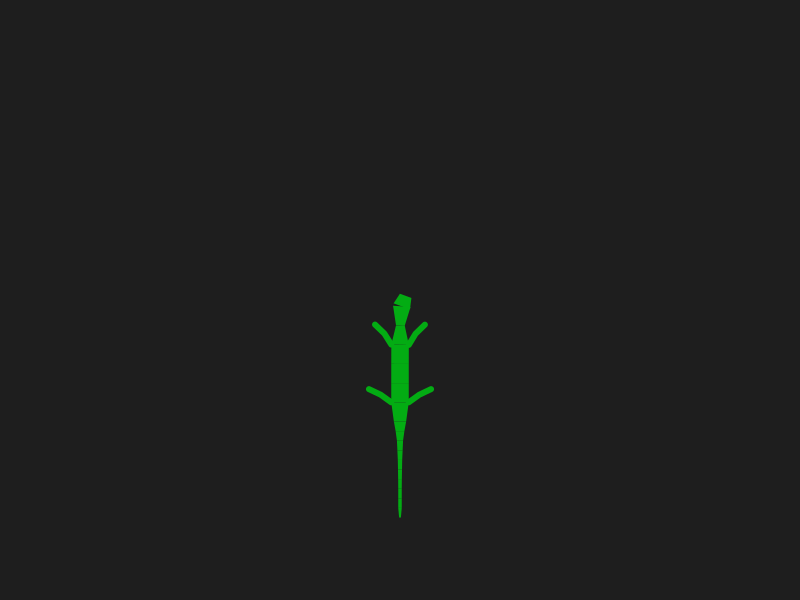
Put it all together, and here's the lizard chasing random points:
# Bug hunting
All the lizard needs is a target for its head; the chain takes care of the rest of the body. It starts off the graph, on the left, and before each hunt it picks its next prey: the days are sorted from most to fewest contributions, and ties are broken by the Manhattan distance from the cell where the head is:
Here $c_d$ is the number of contributions that day, $w$ the week (column) and $r$ the weekday (row). In plain words: the busiest days get eaten first, and between two equally busy days, the closer one wins.
def sort_contributions(self, target_cell: Tuple[int, int]) -> None:
    tx, ty = target_cell
    self._targets = sorted(self._targets, key=lambda item: (
        -item.contributions,
        (abs(item.week_number - tx) + abs(item.day_number - ty))
    ))
The head moves toward the center $T$ of the target cell at a steady $v = 12$ px per frame. Once it's less than one step away, it snaps onto the target: bug eaten, cell turns gray.
Moving at a constant speed, instead of smoothly easing in and out, keeps the steps regular. When there are no bugs left, the last target is placed 300 px past the right edge, so the lizard walks off the graph, and the animation starts over.
# Rendering: an SVG that animates itself
Here's a constraint that shaped the whole project: GitHub doesn't run JavaScript in a README. It does show SVG images, though, and SVG can describe animations on its own, through SMIL. So the entire simulation runs in Python, at 30 frames per second, and each frame saves the body's corners, the leg joints and the head's position.
In the end, every shape of the lizard becomes an SVG <path> with an <animate> tag on its
d attribute (the one describing its outline). The list of values holds the outline for every frame, and the key times are spread evenly
over the total duration $D = N / \text{fps}$, where $N$ is the number of simulated frames:
To keep the file from getting huge, only one out of every 3 frames is written ($M \approx N/3$). The browser fills in the frames in between by interpolating, which works because every outline has the same number of points.
path = dwg.path(d=values[0])
path.add(animate.Animate(
    "d",
    dur=f"{self._duration:.2f}s",
    values=";".join(values),
    keyTimes=self._key_times_str,
    fill="freeze",
    repeatCount="indefinite"
))
The contribution graph is animated the same way. When a day is picked as the next target at time $t_d$,
its cell switches to the empty color at $t_d / D$; two identical key times make the change instant.
A bug appears on top of it with a discrete opacity animation, from $t_d$ until the next target is picked.
And the bug itself is a $16 \times 16$ pixel art drawing, defined just once as an SVG <symbol>
and reused on every cell with <use>.
# Put one on your profile
Want your own lizard? The project is published as a GitHub Action. It generates two versions of the animation, one for light theme and one for dark,
each with its own colors for the graph, the bugs and the lizard. Add this workflow to your profile repository, and it will regenerate the animation
every day and push it to the output branch:
name: generate contribution SVGs

on:
  schedule:
    - cron: "0 0 * * *"  # each 24 hours
  workflow_dispatch:
  push:
    branches:
      - main

jobs:
  generate:
    permissions:
      contents: write
    runs-on: ubuntu-latest
    steps:
      - name: Checkout
        uses: actions/checkout@v3

      - name: Generate lizard
        uses: carlosbravo1408/Lizard@v1
        with:
          user_name: ${{ github.repository_owner }}
          token: ${{ secrets.GITHUB_TOKEN }}
          outputs: |
            dist/contribution_map_animation_light.svg
            dist/contribution_map_animation_dark.svg

      - name: Commit and push SVG
        uses: crazy-max/ghaction-github-pages@v3.1.0
        with:
          target_branch: output
          build_dir: dist
        env:
          GITHUB_TOKEN: ${{ secrets.GITHUB_TOKEN }}
Then, in your README, use a <picture> element so each visitor sees the version that matches their theme.
It's the same thing this page does with the animation at the top: try switching between light and dark mode.
<picture>
    <source media="(prefers-color-scheme: dark)" srcset="https://raw.githubusercontent.com/<user>/<repo>/output/contribution_map_animation_dark.svg">
    <source media="(prefers-color-scheme: light)" srcset="https://raw.githubusercontent.com/<user>/<repo>/output/contribution_map_animation_light.svg">
    <img alt="Github contribution lizard Animation" src="https://raw.githubusercontent.com/<user>/<repo>/output/contribution_map_animation_light.svg" />
</picture>
# Wrapping up
What I love about procedural animation is how little it takes: a chain that follows its head, an angle limit, a foot that only steps when it has to, and a two-pass trick for the knees. None of those rules knows anything about lizards, and yet, put together, they walk like one.